> For the complete documentation index, see [llms.txt](https://ai-docs.fptcloud.com/llms.txt). Markdown versions of documentation pages are available by appending `.md` to page URLs; this page is available as [Markdown](https://ai-docs.fptcloud.com/ai-factory-guideline-jp/akaunto/ke-jin/chtoriaru/kurejittono.md).
# クレジットの追加方法?
AI Factoryのサービスを利用開始するには、従量課金プランでクレジットを購入する必要があります。
\
以下の手順に従ってください:
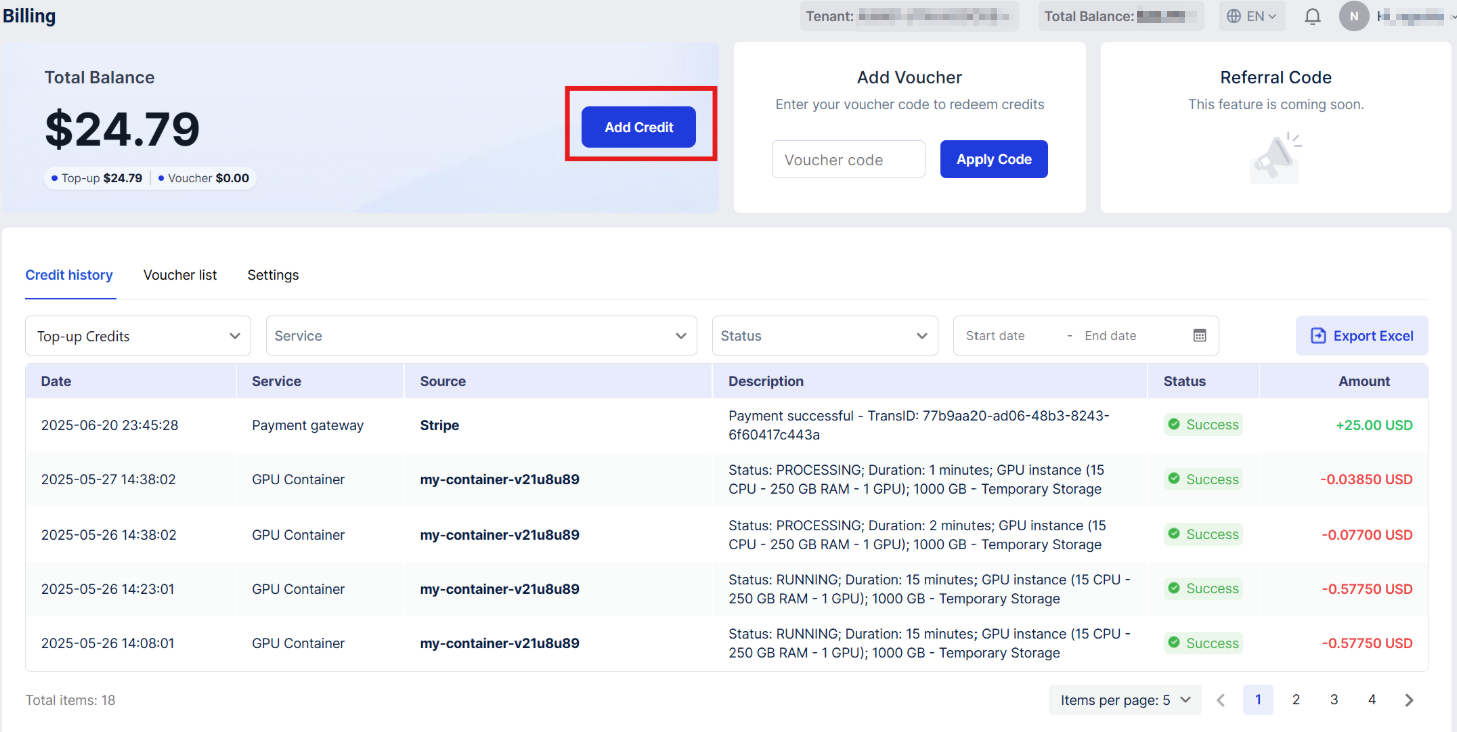
1. 左側のメニューで、アカウントセクションの「**請求**」をクリックしてください
2. 「**クレジットを追加**」ボタンをクリック
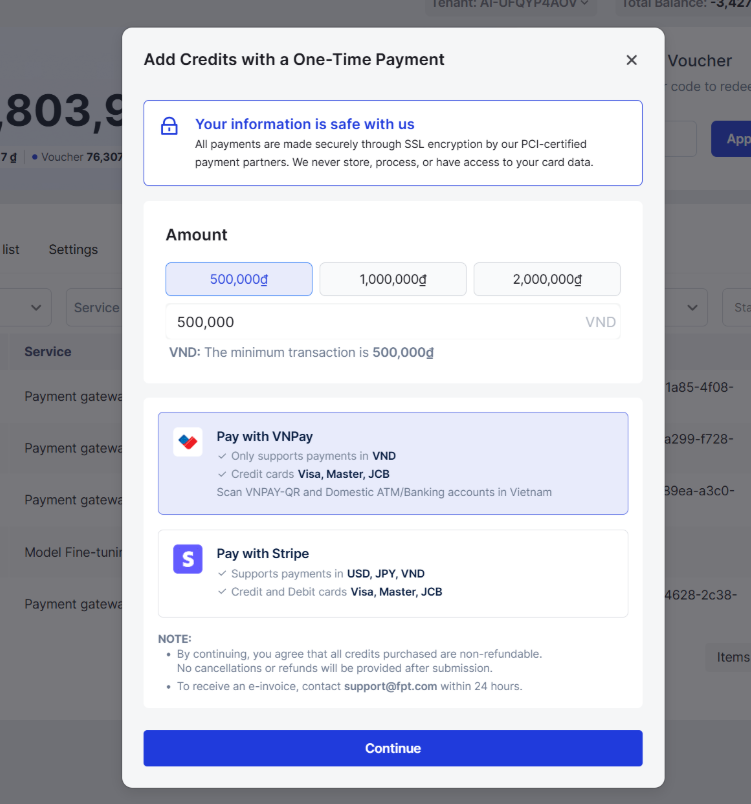
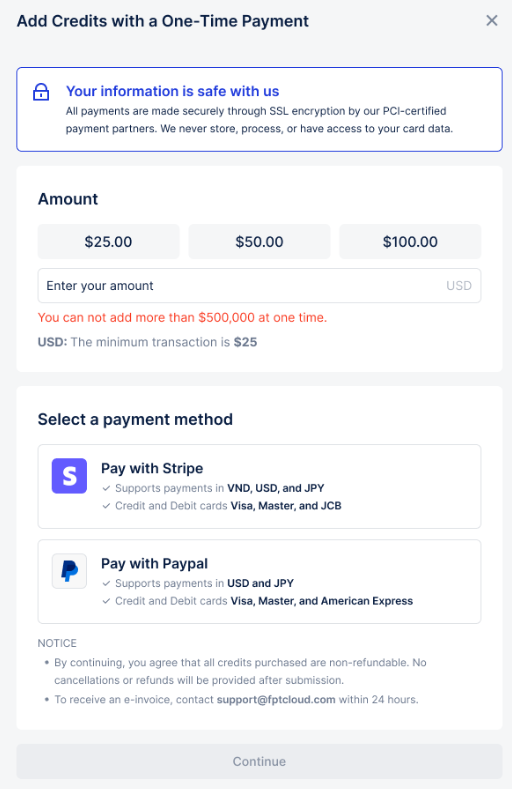
3. 「**クレジット追加**」ポップアップで、推奨金額を選択するか、残高に追加したい**クレジット**
\
**数を入力できます**。\*最低金額が設定されています。それ以下の金額は追加できません。
4. 次に**支払い方法**を選択してください:
* **VNPay**: ベトナム地域およびベトナムドン(VND)のみ対応。VNPayの決済ページで取引を完
\
了します。
* **PayPal**: ベトナム地域および米ドルのみ対応。PayPalのチェックアウトポップアップで取引を完了し
\
ます。
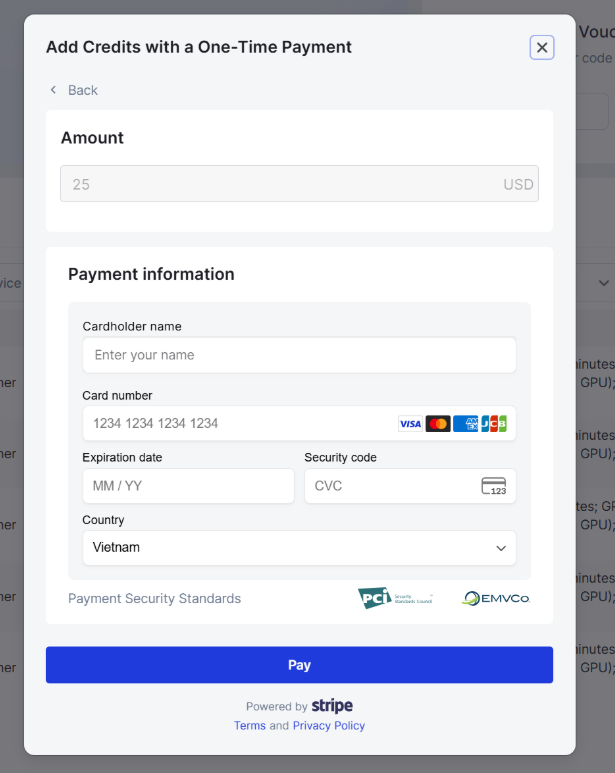
* **Stripe**: :ポップアップウィンドウにカード情報を入力して支払いを進めてください。**すべての取引は**
\
**Stripeによって安全に処理され、FPTはカード情報を保存しません**。
支払い取引の確認にOTPが必要な場合があります。これはカード発行会社によって異なります。
5. お支払いが完了すると、成功通知を表示するポップアップが表示され、お客様の「**総残高**」お
\
よび「**チャージ残高**」が更新されます。.
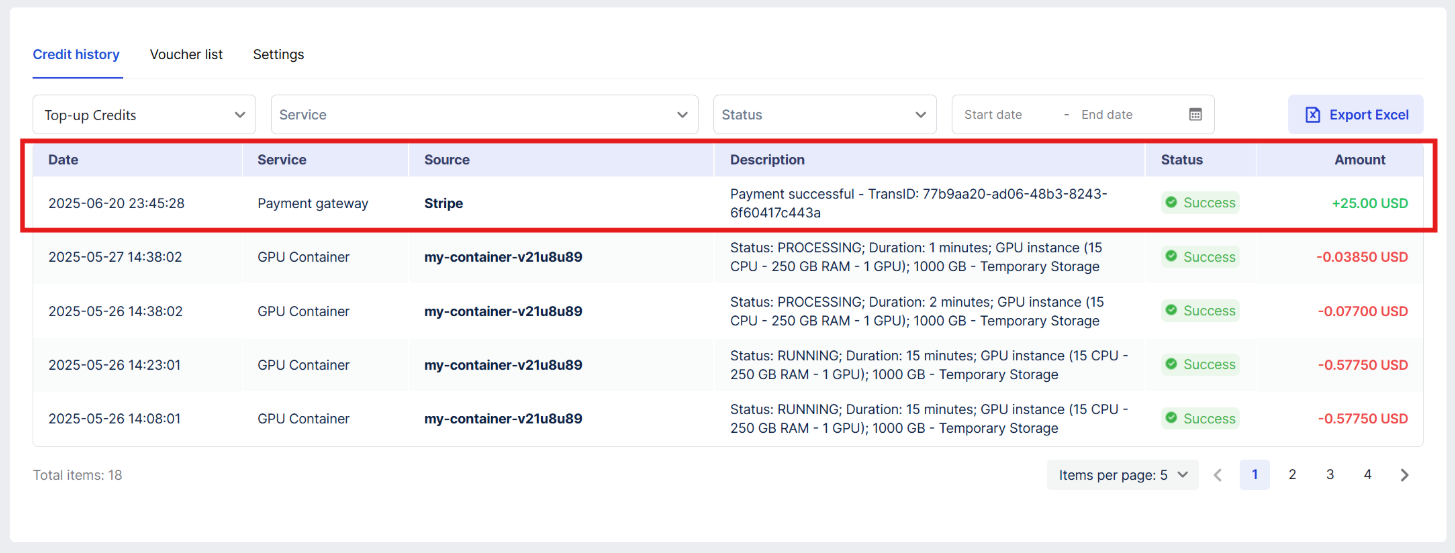
6. クレジット履歴テーブルで、クレジット追加の取引を確認することもできます。
---
# Agent Instructions
This documentation is published with GitBook. GitBook is the documentation platform designed so that both humans and AI agents can read, navigate, and reason over technical content effectively. Learn more at gitbook.com.
## Querying This Documentation
If you need additional information that is not directly available in this page, you can query the documentation dynamically by asking a question.
Perform an HTTP GET request on the current page URL with the `ask` query parameter, and the optional `goal` query parameter:
```
GET https://ai-docs.fptcloud.com/ai-factory-guideline-jp/akaunto/ke-jin/chtoriaru/kurejittono.md?ask=&goal=
```
`ask` is the immediate question: it should be specific, self-contained, and written in natural language.
`goal` is optional and describes the broader end goal you are ultimately trying to accomplish on behalf of the user. GitBook uses it to tailor the answer towards what is most useful for that goal.
The response will contain a direct answer to the question and relevant excerpts and sources from the documentation.
Use this mechanism when the answer is not explicitly present in the current page, you need clarification or additional context, or you want to retrieve related documentation sections.