> For the complete documentation index, see [llms.txt](https://ai-docs.fptcloud.com/llms.txt). Markdown versions of documentation pages are available by appending `.md` to page URLs; this page is available as [Markdown](https://ai-docs.fptcloud.com/ai-factory-guideline-jp/fpt-ai-studio/meruni/qian-ti-tiao-jian.md).
# 前提条件
### アカウント設定
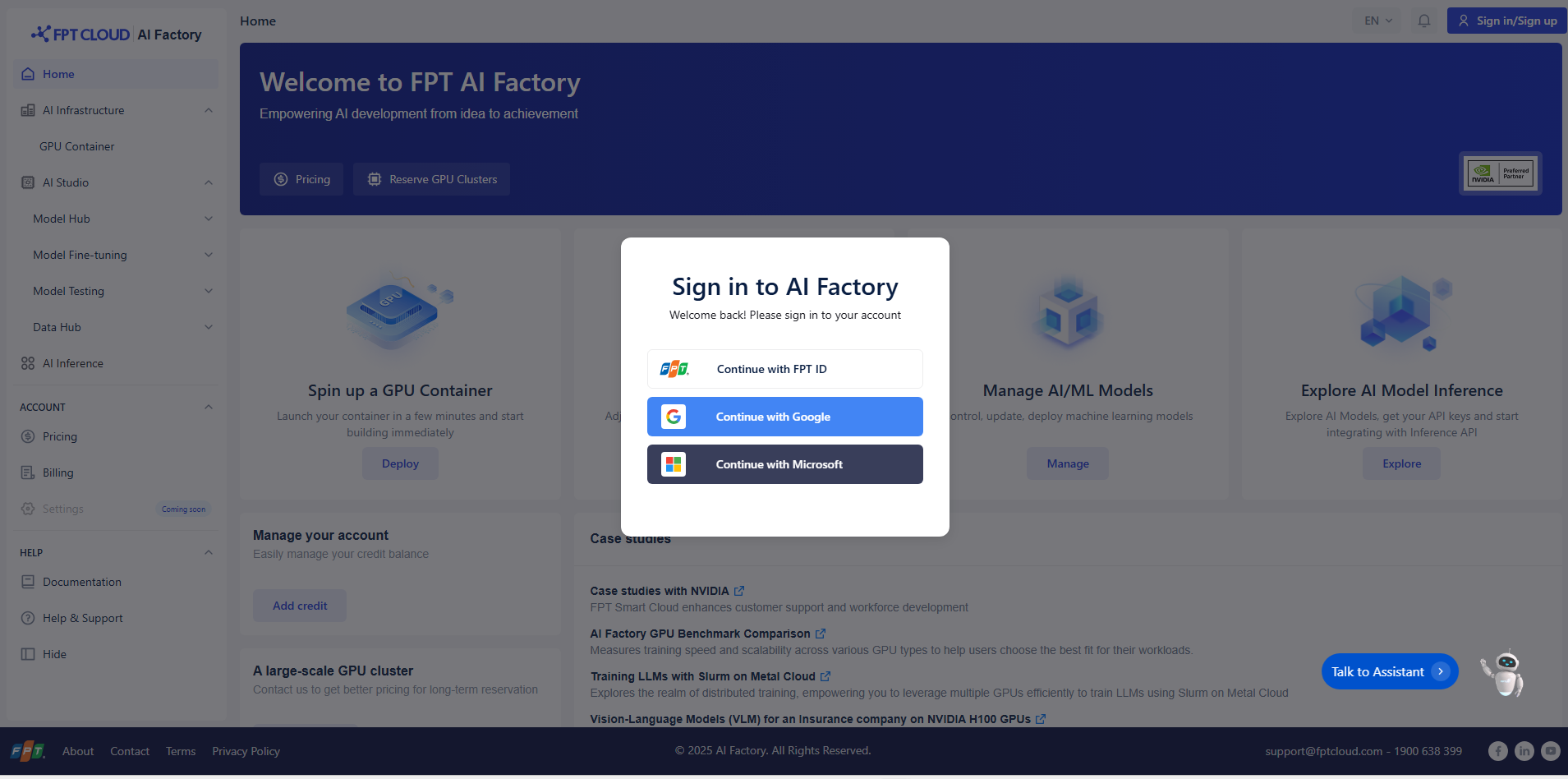
1. **サインイン/サインアップページにアクセス**
* ウェブブラウザで FPT AI Factory にアクセス ([ https://ai.fptcloud.com/ ](https://ai.fptcloud.com/))
* ホームページの右上隅にある「サインイン/サインアップ」をクリックします。
* 画面中央にログインダイアログボックスが表示されます。
2. **サインインオプション**
以下のいずれかの方法でサインインできます:
* **FPT IDで続行**: 既存のFPTアカウントの認証情報を使用してログインします。
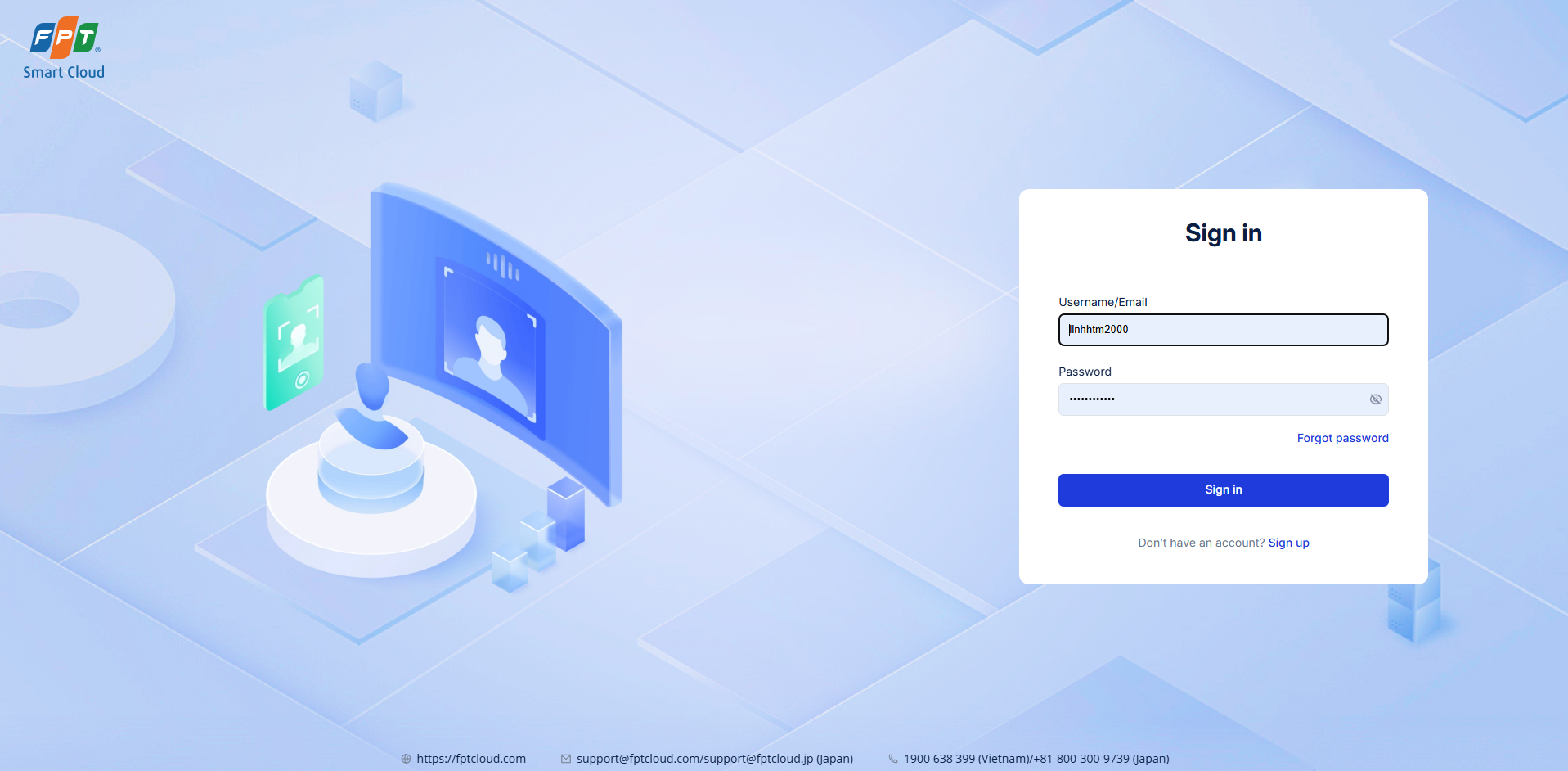
* **Googleで続ける**:このオプションを選択し、Googleの認証プロセスに従ってGoogleアカウ
\
ントでサインインします。
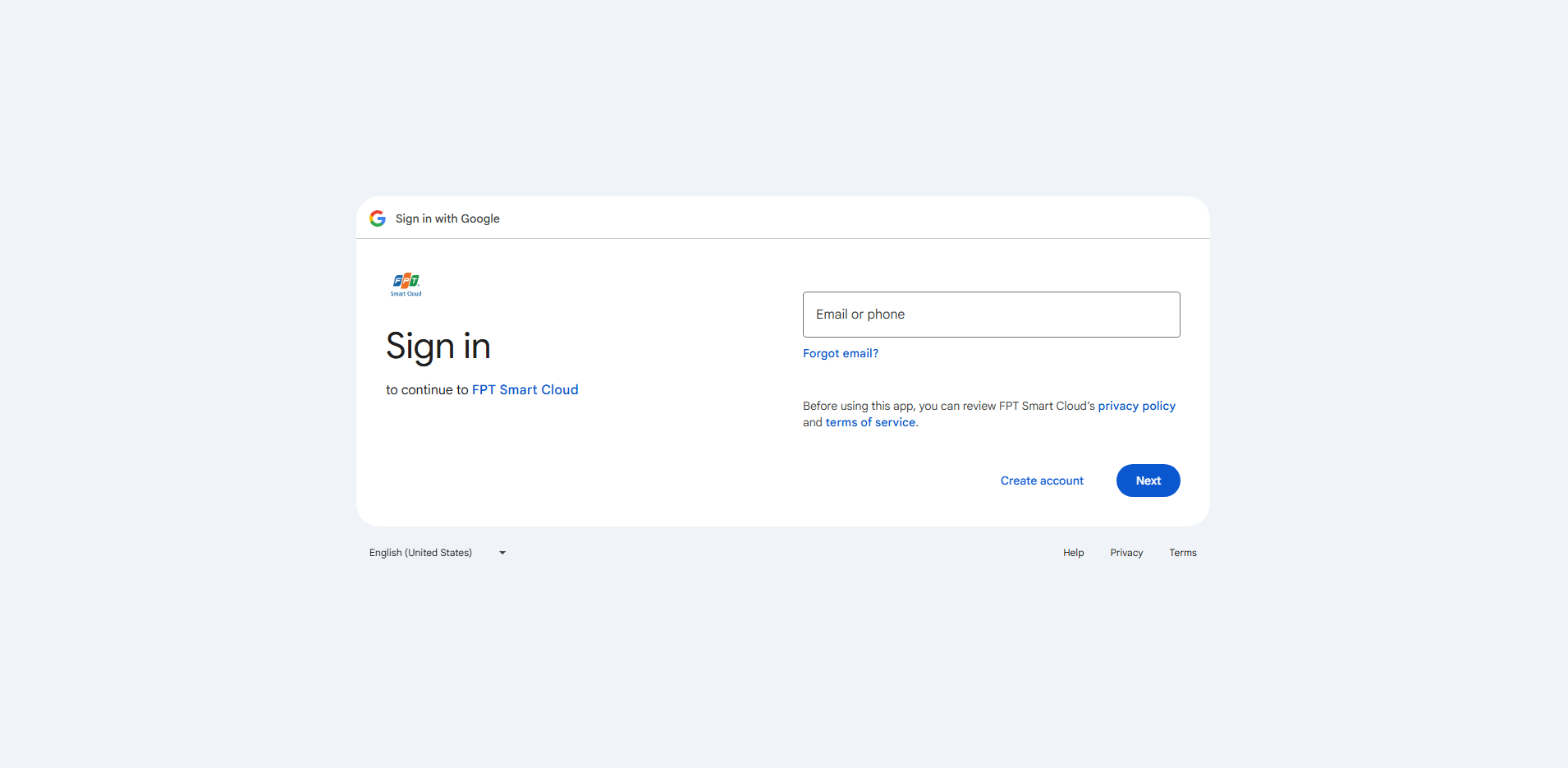
* **Microsoftで続ける**:Microsoftアカウントを使用して安全にログインします。

3. **新規アカウントの登**
* アカウントをお持ちでない場合は、利用可能なログインオプション(FPT ID、Google、または
Microsoft)のいずれかを選択してください。
* 指示に従って登録プロセスを完了してください。
* 登録後、次回からは同じ方法でサインインできます。
4. **ログイン成功**
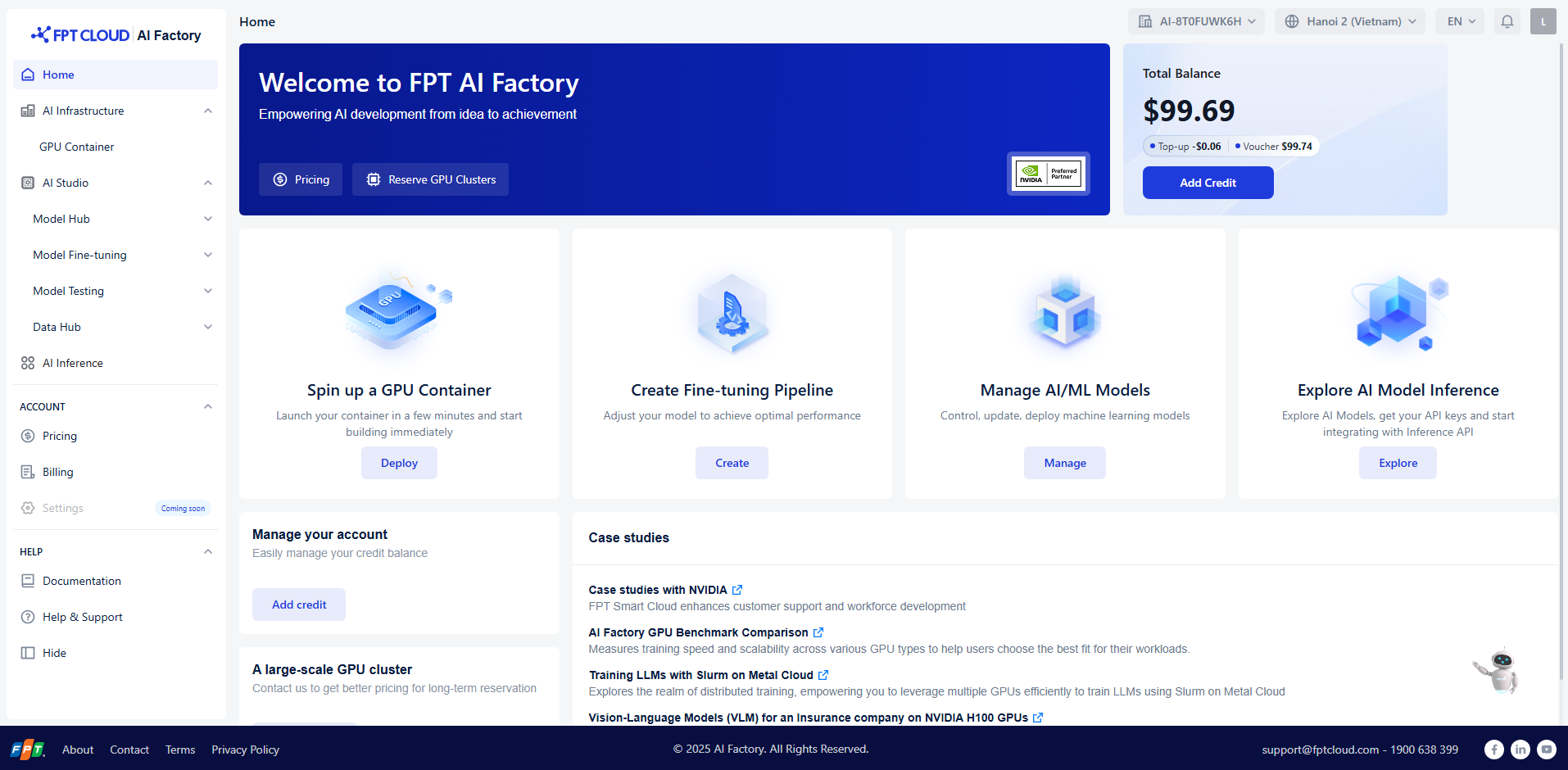
ログイン後、**AI Factoryダッシュボードに**リダイレクトされます。ここでは以下の操作が可能です:
* GPUコンテナを起動する
* AI/MLモデルの管理
* 推論APIの探索
* 料金と請求へのアクセス
5. **トラブルシューティング**
* 外部ログイン方法を使用する場合は、GoogleまたはMicrosoftアカウントが有効であることを確認
してください。
* FPT IDログインに関する問題が発生した場合は、**FPTアカウント回復ページ**(
**ページ(** )でパスワードをリセットしてください。
* 技術的な問題が発生した場合は、左メニューの「**ヘルプ&サポート」**をクリックするか、下記ま
でお問い合わせください:
📧 **** | ☎️ **1900 638 399**
### 残高のチャージ
* 左メニューの**「アカウント」 → 「請求」**に移動してください
* 詳細なガイドに従ってください:[クレジットを追加する](#pricing)
### 料金プラン
**アカウント → 価格設定** に移動し、価格表を確認してください:[価格設](https://ai.fptcloud.jp/pricing/aistudio)
---
# Agent Instructions
This documentation is published with GitBook. GitBook is the documentation platform designed so that both humans and AI agents can read, navigate, and reason over technical content effectively. Learn more at gitbook.com.
## Querying This Documentation
If you need additional information that is not directly available in this page, you can query the documentation by asking a question.
Perform an HTTP GET request on the following URL with the `ask` and `goal` query parameters:
```
GET https://ai-docs.fptcloud.com/ai-factory-guideline-jp/fpt-ai-studio/meruni/qian-ti-tiao-jian.md?ask=&goal=
```
`ask` is the immediate question: it should be specific, self-contained, and written in natural language.
`goal` is what the user is ultimately trying to achieve, the reason they need the answer. Sharing it helps GitBook give you a better, more relevant answer. A goal is most helpful when it describes the outcome the user wants rather than restating the question. For example, with `ask=how do I create an API token`, a goal like `automate deployments from our CI pipeline` lets GitBook tailor the answer to that use case.
The response will contain a direct answer to the question and relevant excerpts and sources from the documentation.
Use this mechanism when the answer is not explicitly present in the current page, you need clarification or additional context, or you want to retrieve related documentation sections.