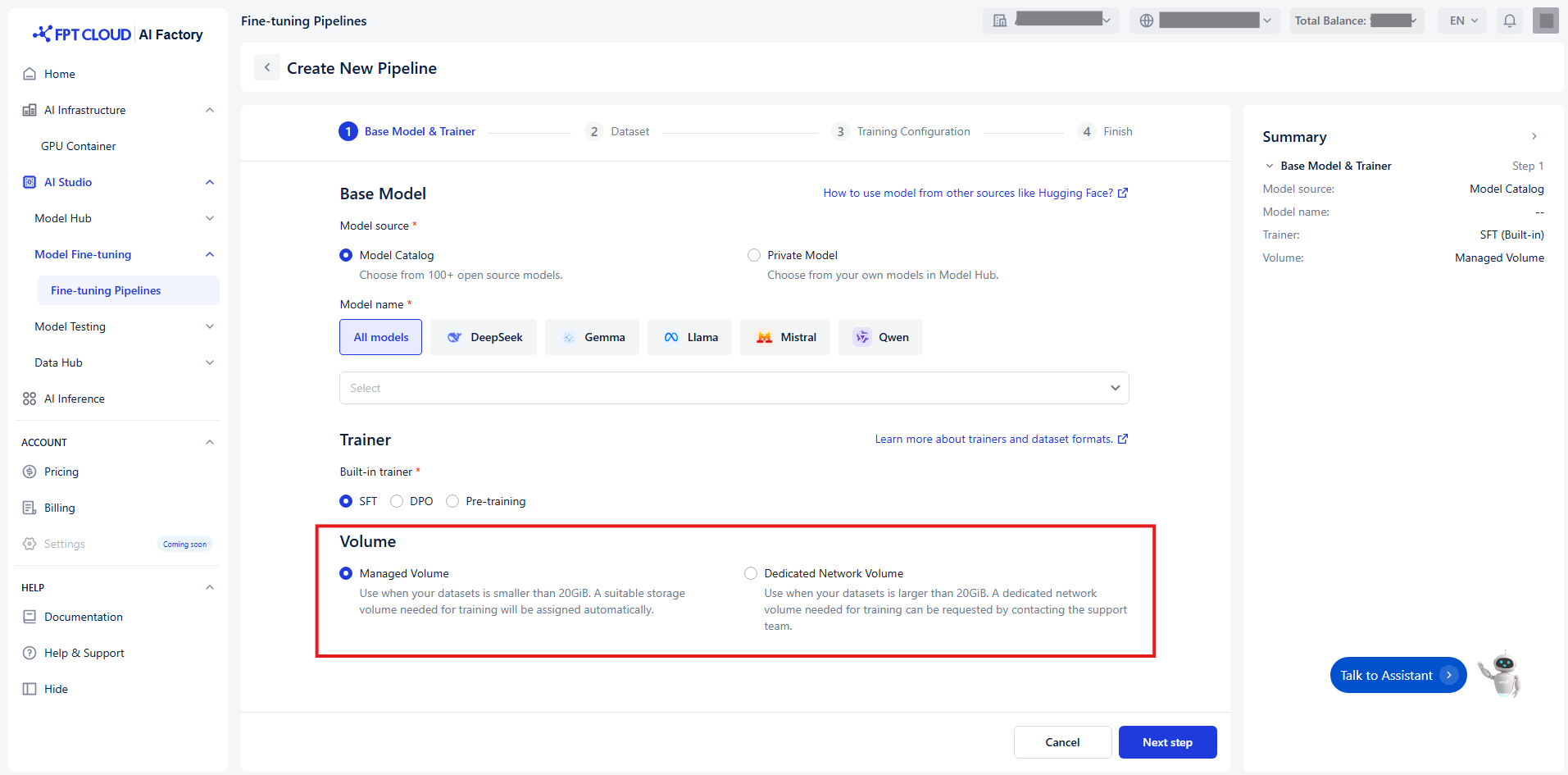
# 選択ボリューム

適切なボリュームタイプを選択することで、モデルの微調整中に最適なパフォーマンスとリソース割り当てを確保できます

<figure><img src="/files/w1FdsQHiqZpPDpOZyIWP" alt=""><figcaption></figcaption></figure>

We offer two volume types:

<table><thead><tr><th width="178.60003662109375">Volume</th><th width="184">Best for</th><th>How it works</th></tr></thead><tbody><tr><td><strong>Managed volume</strong></td><td>Your dataset is smaller than 20GiB.</td><td>- Automatically provisioned by the system.<br>- Ideal for quick experiments and fine-tuning tasks</td></tr><tr><td><strong>Dedicated network volume</strong></td><td>Your dataset is larger than 20GiB.</td><td>- Requires manual provisioning.<br>- You must contact the support team to request it</td></tr></tbody></table>

<br>


---

# Agent Instructions: Querying This Documentation

If you need additional information that is not directly available in this page, you can query the documentation dynamically by asking a question.

Perform an HTTP GET request on the current page URL with the `ask` query parameter:

```
GET https://ai-docs.fptcloud.com/ai-factory-guideline-jp/fpt-ai-studio/sbisu/moderuno/chtoriaru/paipurainno/borymu.md?ask=<question>
```

The question should be specific, self-contained, and written in natural language.
The response will contain a direct answer to the question and relevant excerpts and sources from the documentation.

Use this mechanism when the answer is not explicitly present in the current page, you need clarification or additional context, or you want to retrieve related documentation sections.
