> For the complete documentation index, see [llms.txt](https://ai-docs.fptcloud.com/llms.txt). Markdown versions of documentation pages are available by appending `.md` to page URLs; this page is available as [Markdown](https://ai-docs.fptcloud.com/ai-factory-guideline-jp/fpt-ai-studio/sbisu/moderuno/chtoriaru/paipurainno/infurasutorakuchano.md).
# インフラストラクチャの設定
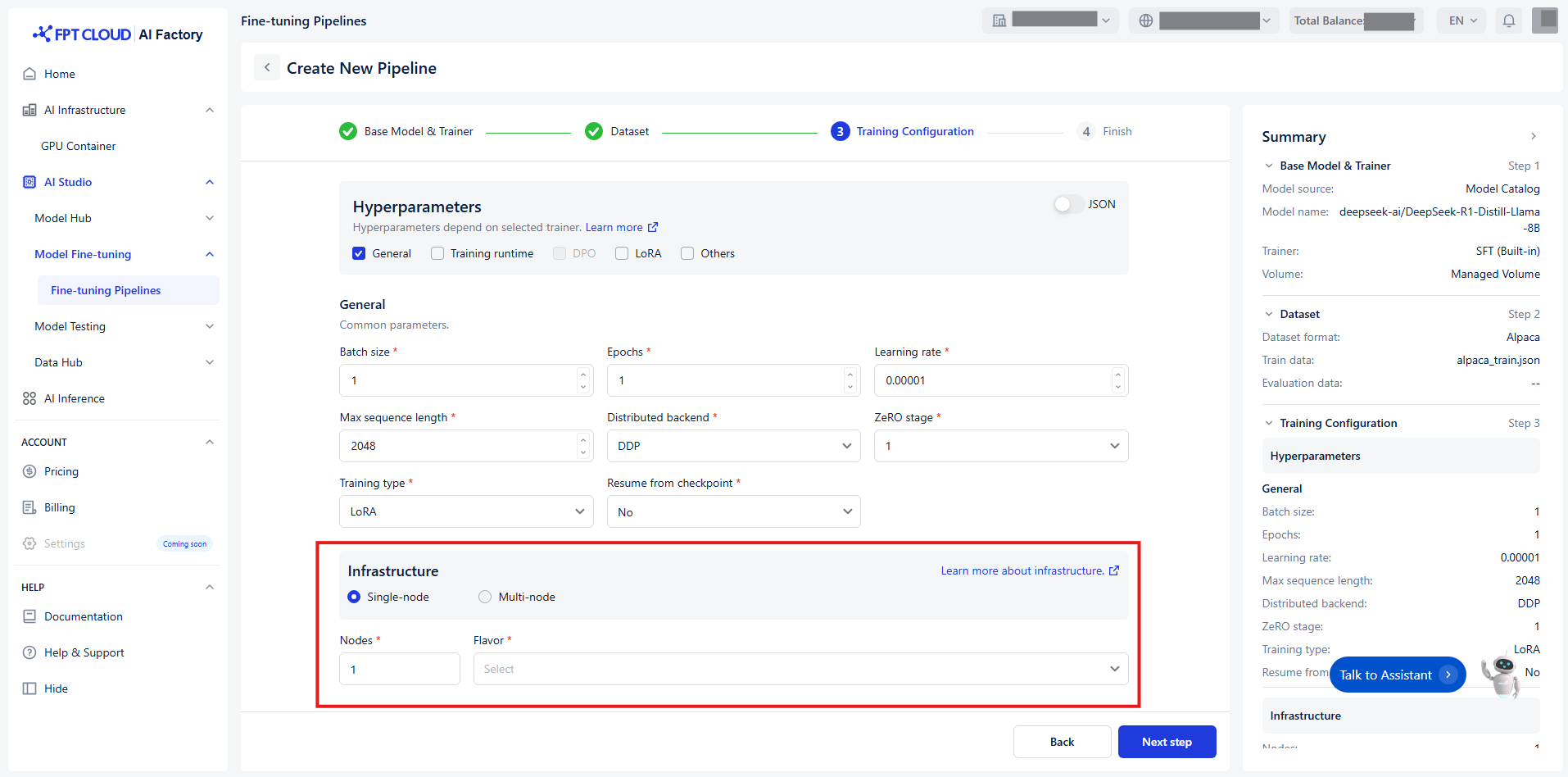
シングルノード構成とマルチノード構成の両方をサポートしており、最大16ノードまで対応可能です:
以下の適切なインフラストラクチャをスケーリングすることを推奨します:
* GPUの数はモデルサイズに依存します:
* **<10億パラメータ**: 1 GPU (2GB VRAM) で十分
* **70億パラメータ**:2~4 GPU(各40GB VRAM)
* **130億パラメータ**: 4~8 GPUを推奨
* **300億以上のパラメータ**: 8台以上のGPUとマルチノード構成が必要
* シングルノードとマルチノードの使い分け:
* 中小規模モデル(最大13B)の場合、複数GPUを搭載したシングルノードで十分
* 大規模モデル(300億以上)の場合、メモリとパフォーマンス向上のためマルチノード構成
\
が推奨される
* 必要最小限のGPUメモリ:
* 標準的な微調整にはGPUあたり最低24GB
* LoRAまたはQLoRA手法を用いれば、8-16GB VRAMのGPUでもファインチューニング可
\
能
**例**:
モデル: Llama-3.1-8B-Instruct
* トレーニングタイプ: フル
* GPU数: 2 GPUまで対応可能(使用率ほぼ99%) -> より安定した実行時間のため4 GPU推奨
* 分散バックエンド: DeepSeed
* ZeROステージ: 3
* デバイスごとのバッチサイズ: 1
* その他のパラメータはデフォルトのまま可
* トレーニングタイプ: LoRA
* GPU数: 1 GPUに収まる
* LoRAランク: 16
* デバイスごとのバッチサイズ: 1
* その他のパラメータはすべてデフォルトのままにできます
* 最適なトレーニング構成を計算するには、こちらを参照してください: (間接費 10~20%)
---
# Agent Instructions
This documentation is published with GitBook. GitBook is the documentation platform designed so that both humans and AI agents can read, navigate, and reason over technical content effectively. Learn more at gitbook.com.
## Querying This Documentation
If you need additional information that is not directly available in this page, you can query the documentation dynamically by asking a question.
Perform an HTTP GET request on the current page URL with the `ask` query parameter, and the optional `goal` query parameter:
```
GET https://ai-docs.fptcloud.com/ai-factory-guideline-jp/fpt-ai-studio/sbisu/moderuno/chtoriaru/paipurainno/infurasutorakuchano.md?ask=&goal=
```
`ask` is the immediate question: it should be specific, self-contained, and written in natural language.
`goal` is optional and describes the broader end goal you are ultimately trying to accomplish on behalf of the user. GitBook uses it to tailor the answer towards what is most useful for that goal.
The response will contain a direct answer to the question and relevant excerpts and sources from the documentation.
Use this mechanism when the answer is not explicitly present in the current page, you need clarification or additional context, or you want to retrieve related documentation sections.