> For the complete documentation index, see [llms.txt](https://ai-docs.fptcloud.com/llms.txt). Markdown versions of documentation pages are available by appending `.md` to page URLs; this page is available as [Markdown](https://ai-docs.fptcloud.com/ai-factory-guideline-jp/fpt-gpu-cloud/gpumashin/chtoriaru/gpu-vm-osimji.md).
# GPU VM OSイメージ
## FPTイメージ
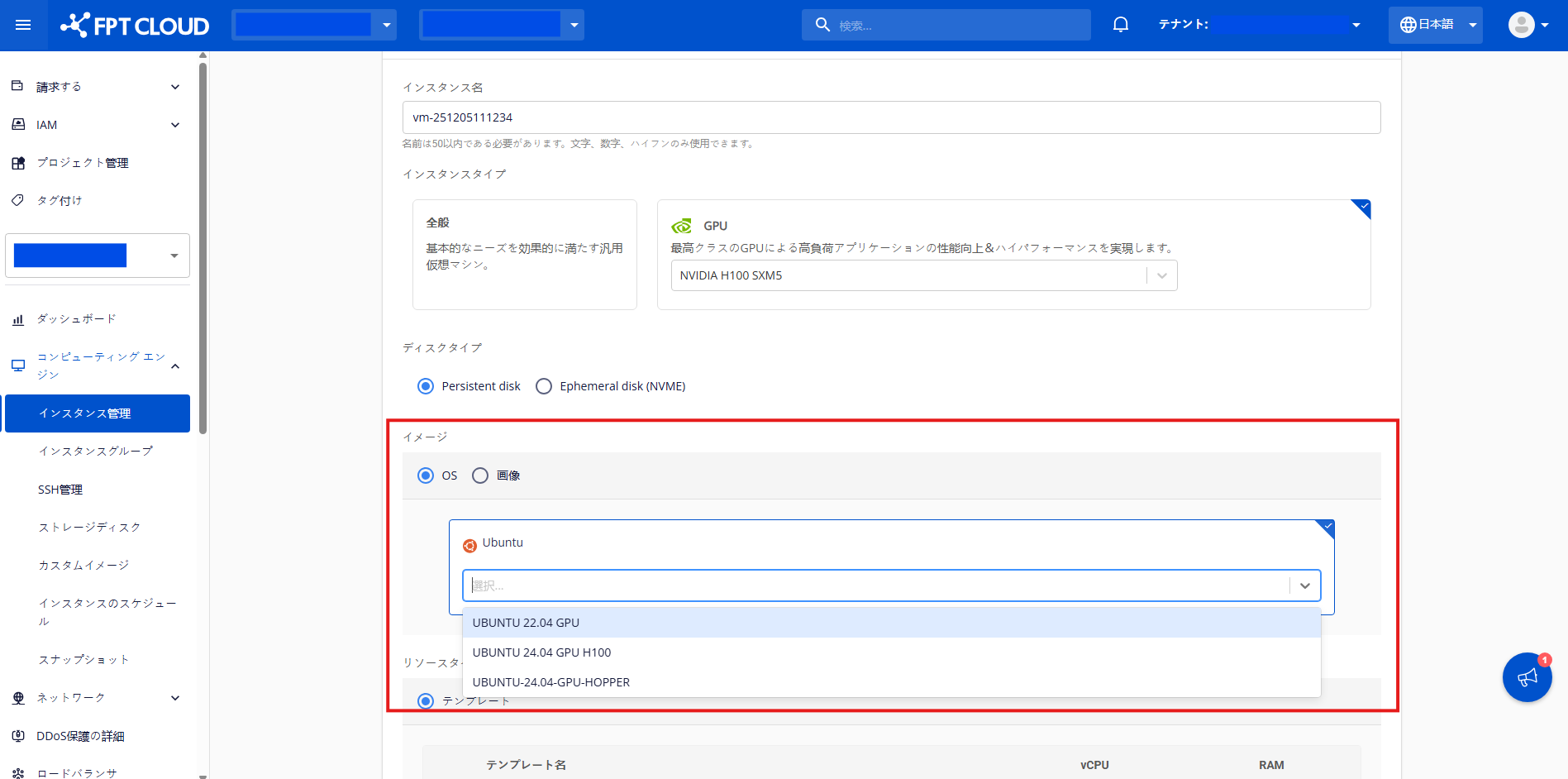
FPTイメージは、FPTが構築したカスタムイメージであり、利用可能なGPU VMのいずれかを迅速に開始するために使用できます。このイメージにはAIワークロードに必要な複数のコンポーネントが含まれており、オペレーティングシステム(OS)としてUbuntuを選択しています。
インストール済み依存関係\*のバージョンは互換性を最適化しており、最新バージョンではない場合があります。
| オペレーティングシステム | バージョン |
| ------------ | ----- |
| Ubuntu | 22.04 |
| Ubuntu | 24.04 |
\*依存関係はOSから除外されます
| 依存関係 | バージョン |
| --------------------------------------- | --------- |
| NVIDIA Driver | 560.35.03 |
| NVIDIA CUDA Toolkit | 12.6.85 |
| NVIDIA Fabric Manager (NVSwitch Driver) | 560.35 |
| NVIDIA Datacenter GPU Manager | 3.3.9 |
## カスタムイメージ
カスタムイメージに基づいて GPU VM を作成できるため、環境を最初から再構築する時間を費やすことなく、ワークロードの移行と拡張が可能になります。
### カスタムイメージのアップロード
GPU VM のアップロードには、**QCOW** ファイル形式のみがサポートされています。その他のファイル形式については、お問い合わせください。
{% stepper %}
{% step %}
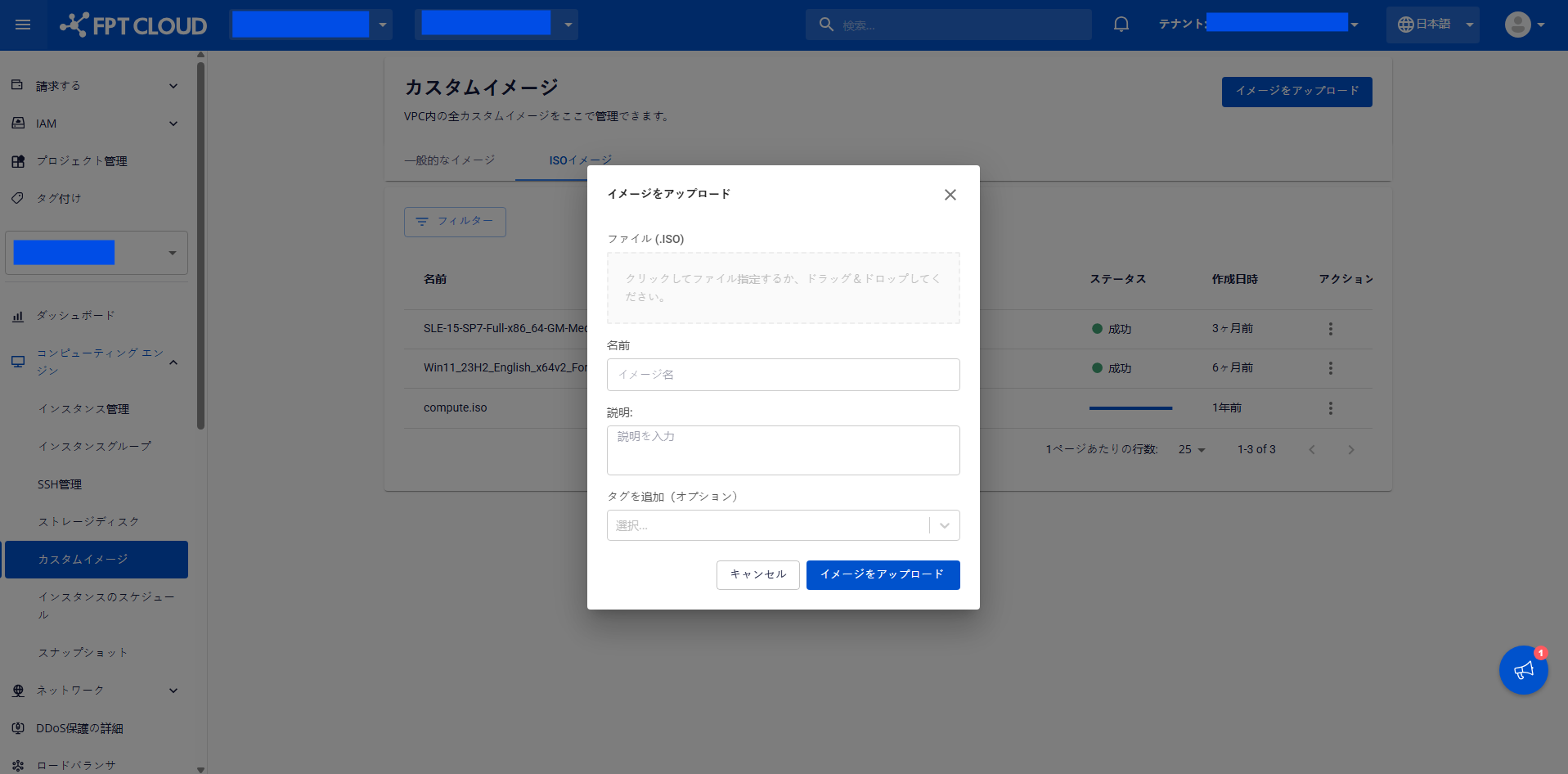
メニューから **\[Compute Engine] > \[カスタムイメージ]** を選択します。次に **\[イメージのアップロード]** をクリックします。
{% endstep %}
{% step %}
必要な情報を入力し、お使いのマシンからファイルを選択します。**「アップロード」**をクリックしてアップロードプロセスを開始します。
{% endstep %}
{% endstepper %}
### カスタムイメージの削除
カスタムイメージが不要になった場合は、以下の手順で削除できます:
{% stepper %}
{% step %}
メニューから **\[カスタムイメージ]** を選択し、削除したいイメージの **\[アクション]** メニューで **\[削除]** をクリックします。
{% endstep %}
{% step %}
確認ポップアップが表示されます。削除を続行するには、**\[カスタムイメージを削除]** をクリックします。
{% endstep %}
{% endstepper %}
---
# Agent Instructions
This documentation is published with GitBook. GitBook is the documentation platform designed so that both humans and AI agents can read, navigate, and reason over technical content effectively. Learn more at gitbook.com.
## Querying This Documentation
If you need additional information that is not directly available in this page, you can query the documentation dynamically by asking a question.
Perform an HTTP GET request on the current page URL with the `ask` query parameter, and the optional `goal` query parameter:
```
GET https://ai-docs.fptcloud.com/ai-factory-guideline-jp/fpt-gpu-cloud/gpumashin/chtoriaru/gpu-vm-osimji.md?ask=&goal=
```
`ask` is the immediate question: it should be specific, self-contained, and written in natural language.
`goal` is optional and describes the broader end goal you are ultimately trying to accomplish on behalf of the user. GitBook uses it to tailor the answer towards what is most useful for that goal.
The response will contain a direct answer to the question and relevant excerpts and sources from the documentation.
Use this mechanism when the answer is not explicitly present in the current page, you need clarification or additional context, or you want to retrieve related documentation sections.