> For the complete documentation index, see [llms.txt](https://ai-docs.fptcloud.com/llms.txt). Markdown versions of documentation pages are available by appending `.md` to page URLs; this page is available as [Markdown](https://ai-docs.fptcloud.com/ai-factory-guideline-jp/other/terraform/settoappu.md).
# セットアップ
#### システム要件
* オペレーティングシステム:Terraform は、Linux、macOS、Windows などのさまざまなオペレーティングシステムをサポートしています。
* バージョン:Terraform の最新バージョンで、ご利用のクラウドサービスプロバイダとの互換性を確認してください。
* インターネットアクセス:Terraform およびプラグインをダウンロードするため。
#### Terraform のインストール
**macOS 上で:**
* Homebrew を使用する場合:
```
brew tap hashicorp/tap
brew install hashicorp/tap/terraform
```
**Ubuntuの場合:**
```
sudo apt-get update && sudo apt-get install -y gnupg software-properties-common curl
curl -fsSL
https://apt.releases.hashicorp.com/gpg
| sudo apt-key add -
sudo apt-add-repository "deb [arch=amd64]
https://apt.releases.hashicorp.com
$(lsb_release -cs) main"
sudo apt-get update && sudo apt-get install terraform
```
**Windows の場合:**
* Terraform ダウンロードページからダウンロードしてください。
* ファイルを解凍し、Terraform のパスを PATH 環境変数に追加します。
#### 設定の確認
* Terraform のバージョンを確認します。
```
terraform -v
```
#### FptCloud で Terraform を使用するためのトークンの取得方法
サイドバーに移動し、「トークン」を選択します。
#### FPT Cloud Provider の初期化
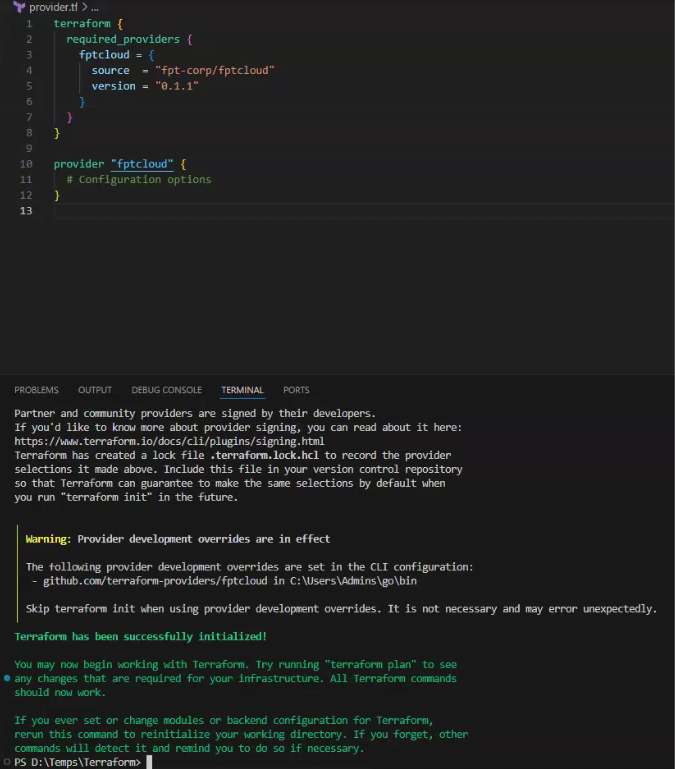
* Terraform ページで FPT Cloud Provider のバージョンとインストール手順を確認する:
「terraform init」コマンドを使用して FPT Cloud Provider をインストールします。
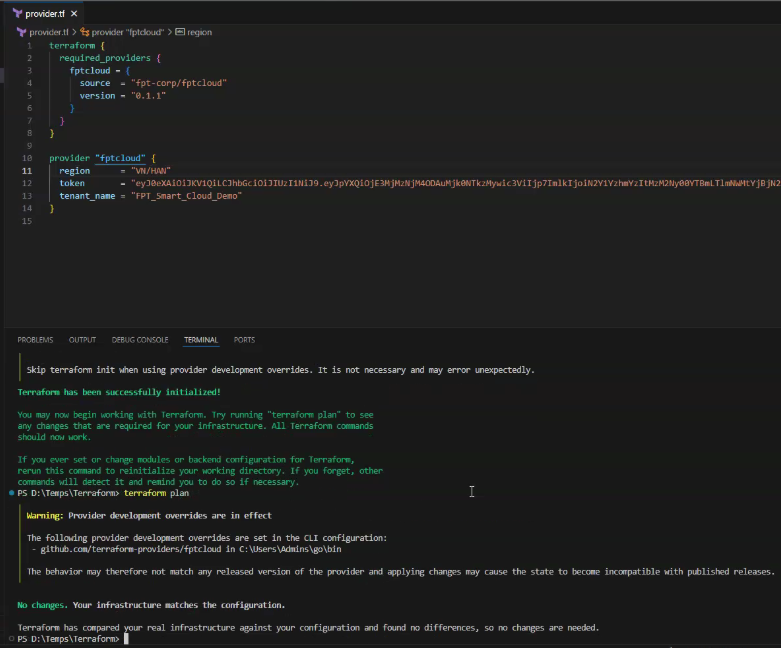
FPT Cloud 接続スクリプト:
FPT Cloud に接続するためのアクセストークンを作成します。
アクセストークンを使用して FPT Cloud に接続します。
---
# Agent Instructions
This documentation is published with GitBook. GitBook is the documentation platform designed so that both humans and AI agents can read, navigate, and reason over technical content effectively. Learn more at gitbook.com.
## Querying This Documentation
If you need additional information that is not directly available in this page, you can query the documentation by asking a question.
Perform an HTTP GET request on the following URL with the `ask` and `goal` query parameters:
```
GET https://ai-docs.fptcloud.com/ai-factory-guideline-jp/other/terraform/settoappu.md?ask=&goal=
```
`ask` is the immediate question: it should be specific, self-contained, and written in natural language.
`goal` is what the user is ultimately trying to achieve, the reason they need the answer. Sharing it helps GitBook give you a better, more relevant answer. A goal is most helpful when it describes the outcome the user wants rather than restating the question. For example, with `ask=how do I create an API token`, a goal like `automate deployments from our CI pipeline` lets GitBook tailor the answer to that use case.
The response will contain a direct answer to the question and relevant excerpts and sources from the documentation.
Use this mechanism when the answer is not explicitly present in the current page, you need clarification or additional context, or you want to retrieve related documentation sections.