> For the complete documentation index, see [llms.txt](https://ai-docs.fptcloud.com/llms.txt). Markdown versions of documentation pages are available by appending `.md` to page URLs; this page is available as [Markdown](https://ai-docs.fptcloud.com/fpt-ai-studio/services/model-fine-tuning/tutorials/how-to-create-a-pipeline/set-up-infrastructure.md).
# Set up Infrastructure
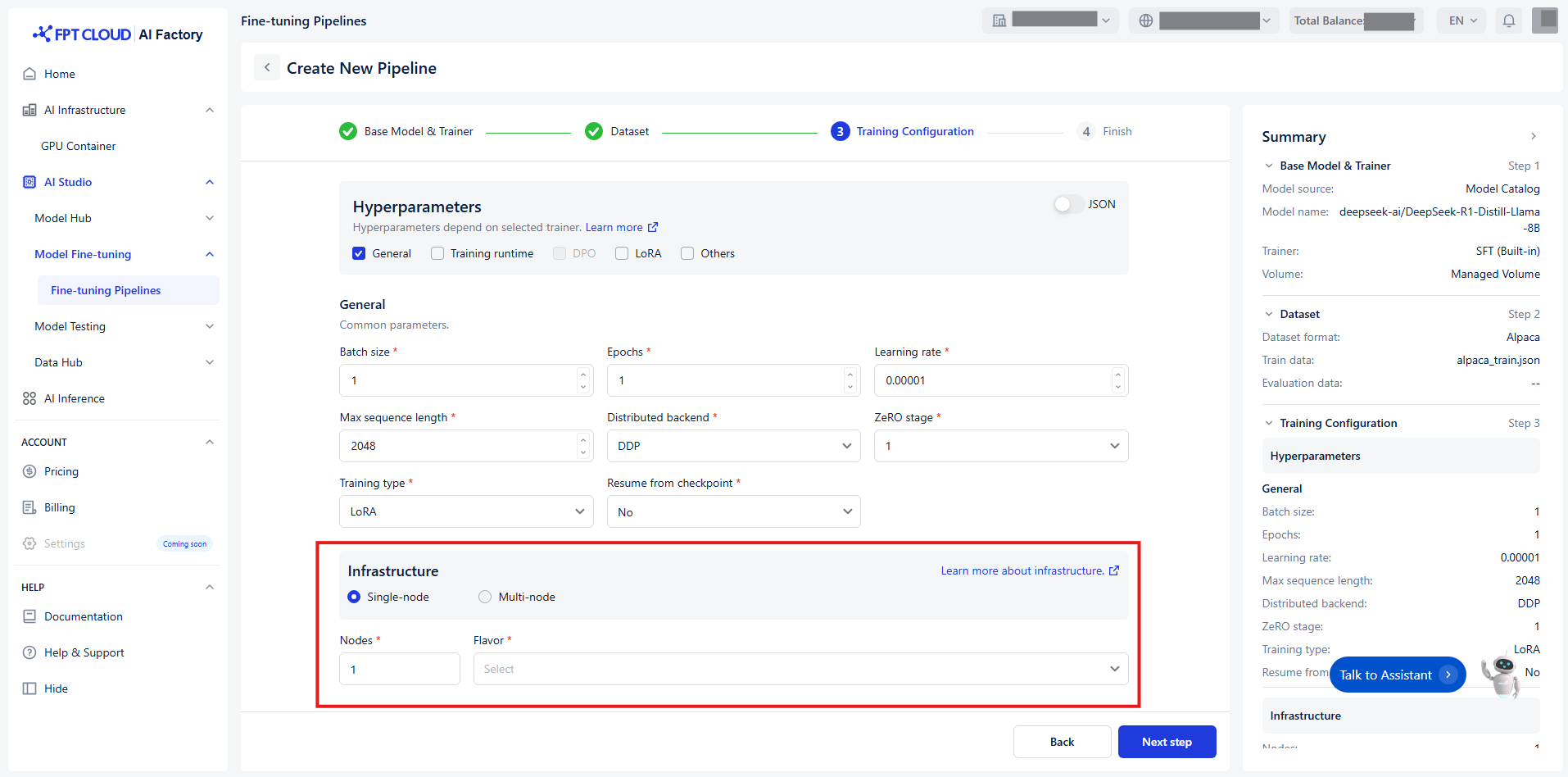
We support both single-node and multi-node configurations, with a maximum of 16 nodes:
We recommend you scalable the right infrastructure below:
* Number of GPUs depends on the model size:
* **<1B parameters**: 1 GPU (2GB VRAM) is sufficient
* **7B parameters**: 2-4 GPUs (40GB VRAM each)
* **13B parameters**: 4-8 GPUs recommended
* **30B+ parameters**: Requires 8+ GPUs and multi-node setup
* When to use single-node or multi-node:
* For small to medium models (up to 13B), a **single-node** with multiple GPUs is enough
* For large models (30B+), **multi-node** setups are recommended for better memory and performance
* The minimum GPU memory required:
* At least 24GB per GPU for standard fine-tuning.
* You can fine-tune on GPUs with 8-16GB VRAM using LoRA or QLoRA methods.
**Example:**
Model: Llama-3.1-8B-Instruct
* Training type: Full
* Number of GPUs: can fit into 2 GPUs (nearly 99% usage) -> 4 GPUs for more consistent runtime
* Distributed backend: DeepSeed
* ZeRO stage: 3
* Batch size per device: 1
* All other parameters can be left as default
* Training type: LoRA
* Number of GPUs: can fit into 1 GPU
* LoRA rank: 16
* Batch size per device: 1
* All other parameters can be left as default
* To calculate the most suitable training configuration, you can refer here: (overhead 10-20%)
---
# Agent Instructions
This documentation is published with GitBook. GitBook is the documentation platform designed so that both humans and AI agents can read, navigate, and reason over technical content effectively. Learn more at gitbook.com.
## Querying This Documentation
If you need additional information that is not directly available in this page, you can query the documentation dynamically by asking a question.
Perform an HTTP GET request on the current page URL with the `ask` query parameter, and the optional `goal` query parameter:
```
GET https://ai-docs.fptcloud.com/fpt-ai-studio/services/model-fine-tuning/tutorials/how-to-create-a-pipeline/set-up-infrastructure.md?ask=&goal=
```
`ask` is the immediate question: it should be specific, self-contained, and written in natural language.
`goal` is optional and describes the broader end goal you are ultimately trying to accomplish on behalf of the user. GitBook uses it to tailor the answer towards what is most useful for that goal.
The response will contain a direct answer to the question and relevant excerpts and sources from the documentation.
Use this mechanism when the answer is not explicitly present in the current page, you need clarification or additional context, or you want to retrieve related documentation sections.