> For the complete documentation index, see [llms.txt](https://ai-docs.fptcloud.com/llms.txt). Markdown versions of documentation pages are available by appending `.md` to page URLs; this page is available as [Markdown](https://ai-docs.fptcloud.com/fpt-ai-studio/services/model-testing-interactive-sessions/overview.md).
# Overview
## What is Model Testing - Interactive Sessions?
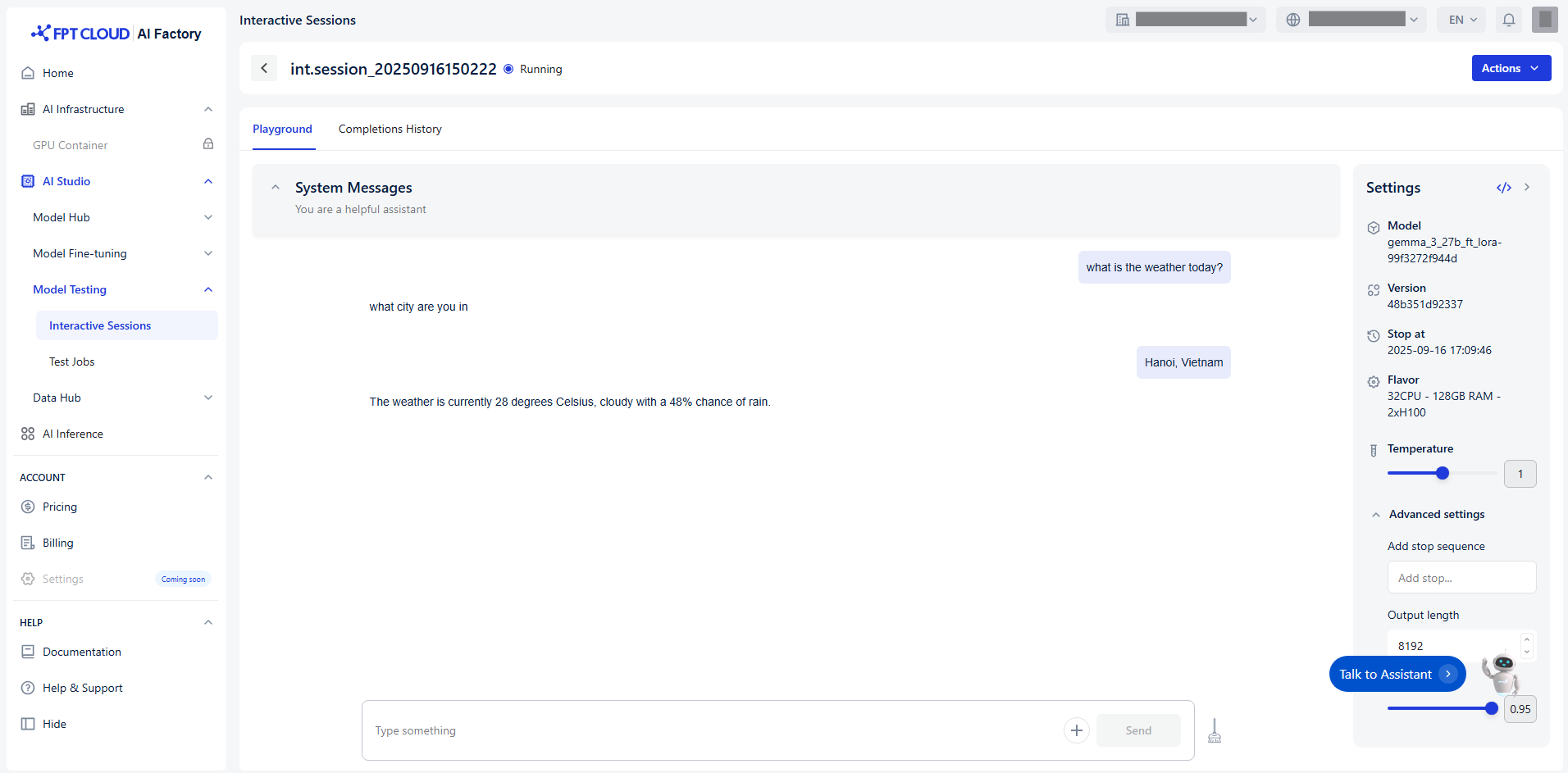
**Model Testing - Interactive Sessions** is the next essential step after fine-tuning, designed to validate and evaluate the performance of customized AI models in real-world scenarios. Built into the FPT AI Factory Portal, this feature allows users to interact directly with their fine-tuned models through a simple and intuitive interface.
Instead of relying solely on static metrics like accuracy or loss, Interactive Sessions provide a dynamic environment where users can:
* **Chat with the model** using natural language inputs.
* **Test domain-specific queries** to assess contextual understanding.
* **Evaluate response quality** based on relevance, tone, and completeness.
* **Iterate quickly** by adjusting prompts and observing model behavior in real time.
This hands-on approach ensures that the model not only performs well on paper but also delivers meaningful and accurate outputs tailored to the business context - whether it’s customer service, healthcare, finance, or legal applications.
Thanks to its seamless integration with Model Fine-tuning, **Model Testing - Interactive Sessions** empowers organizations to confidently deploy AI solutions that are both powerful and practical. It bridges the gap between training and production, helping teams make informed decisions before scaling their models.
## When to Use Model Testing - Interactive Sessions?
**Model Testing - Interactive Sessions** is most valuable when you need to validate the real-world performance of a fine-tuned model before deployment. It helps ensure that the model behaves as expected in practical scenarios and meets business requirements.
You should use Interactive Session when:
* **You want to simulate real user interactions** to see how the model responds to domain-specific queries.
* **You need to evaluate tone, style, and contextual relevance** of the model’s output.
* **You want to identify edge cases or unexpected behaviors** before going live.
---
# Agent Instructions
This documentation is published with GitBook. GitBook is the documentation platform designed so that both humans and AI agents can read, navigate, and reason over technical content effectively. Learn more at gitbook.com.
## Querying This Documentation
If you need additional information that is not directly available in this page, you can query the documentation by asking a question.
Perform an HTTP GET request on the following URL with the `ask` and `goal` query parameters:
```
GET https://ai-docs.fptcloud.com/fpt-ai-studio/services/model-testing-interactive-sessions/overview.md?ask=&goal=
```
`ask` is the immediate question: it should be specific, self-contained, and written in natural language.
`goal` is what the user is ultimately trying to achieve, the reason they need the answer. Sharing it helps GitBook give you a better, more relevant answer. A goal is most helpful when it describes the outcome the user wants rather than restating the question. For example, with `ask=how do I create an API token`, a goal like `automate deployments from our CI pipeline` lets GitBook tailor the answer to that use case.
The response will contain a direct answer to the question and relevant excerpts and sources from the documentation.
Use this mechanism when the answer is not explicitly present in the current page, you need clarification or additional context, or you want to retrieve related documentation sections.