> For the complete documentation index, see [llms.txt](https://ai-docs.fptcloud.com/llms.txt). Markdown versions of documentation pages are available by appending `.md` to page URLs; this page is available as [Markdown](https://ai-docs.fptcloud.com/fpt-gpu-cloud/gpu-virtual-machine/on-fpt-cloud-console/tutorials/os-images.md).
# OS Images
## FPT Images
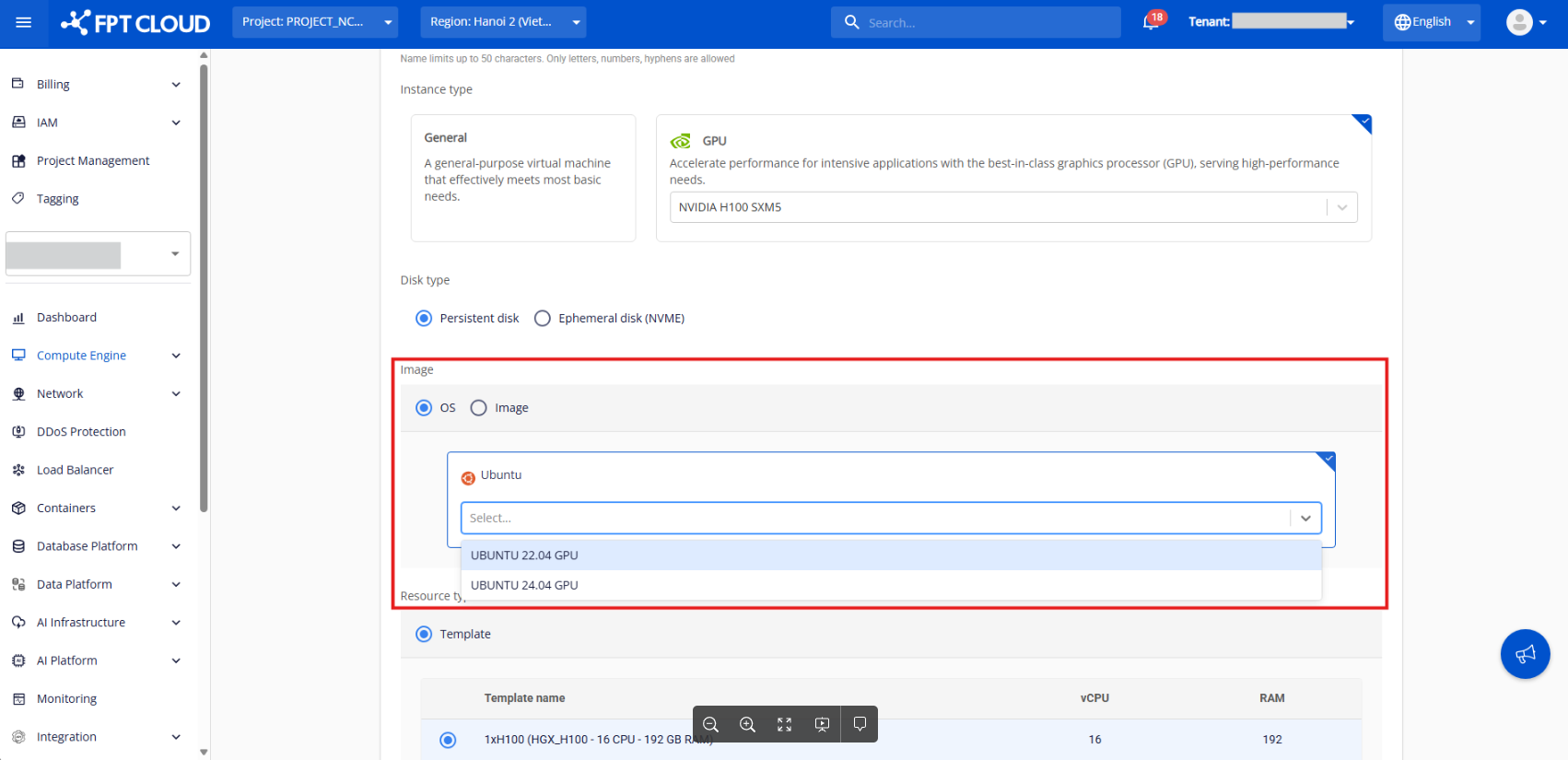
FPT Image is a custom image built by FPT that you can use to get started quickly with any of the GPU VM available. This image comes with several components needed for AI workloads and selects Ubuntu as the Operating System (OS).
The versions of the installed dependencies are optimized for compatibility and might not be the latest versions available.
| Image name | Description | Dependencies |
| -------------------------------------- | --------------------------------------------------------------------------------------------------------------------------------------------------------------- | ------------------------------------------------------------------------------------------------------------------------------------------------------------------------------------------------ |
| UBUNTU 22.04 GPU | Ubuntu version 22.04 and essential NVIDIA GPU drivers |
|
| INFERENCE UBUNTU 24.04 BLACKWELL v.1.1 | Ubuntu version 24.04, with vLLM inference engine for high-throughput, production-grade model serving. |
NVIDIA Driver 595
NVIDIA CUDA Compute library
NVIDIA DKMS kernel module
NVIDIA GPU kernel driver
CUDA Toolkit 13.1
vLLM v0.20.2
|
## Custom images
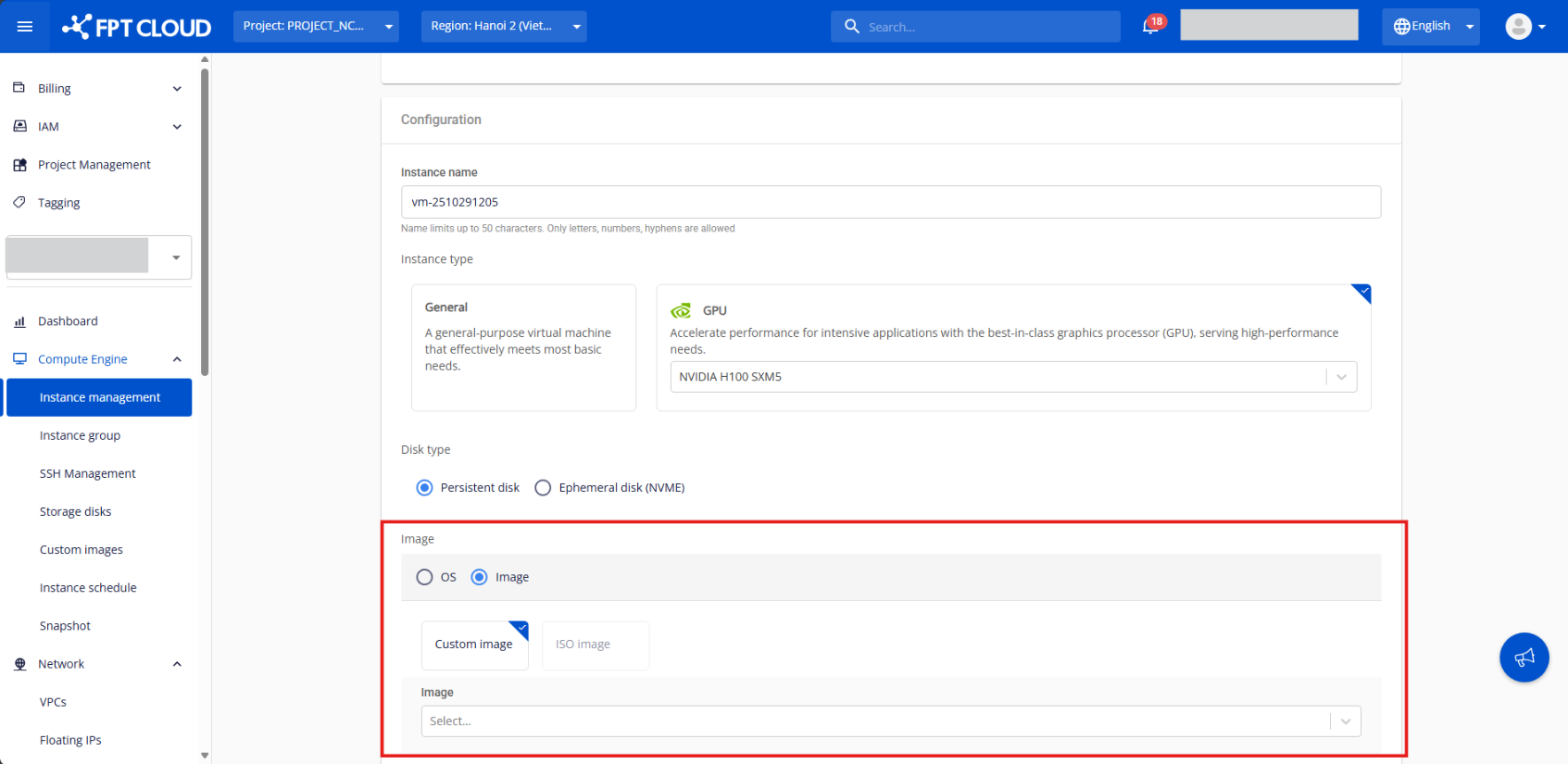
You can create GPU VMs based on custom images, which lets you migrate and scale your workloads without spending time recreating your environment from scratch.
### Upload a Custom Image
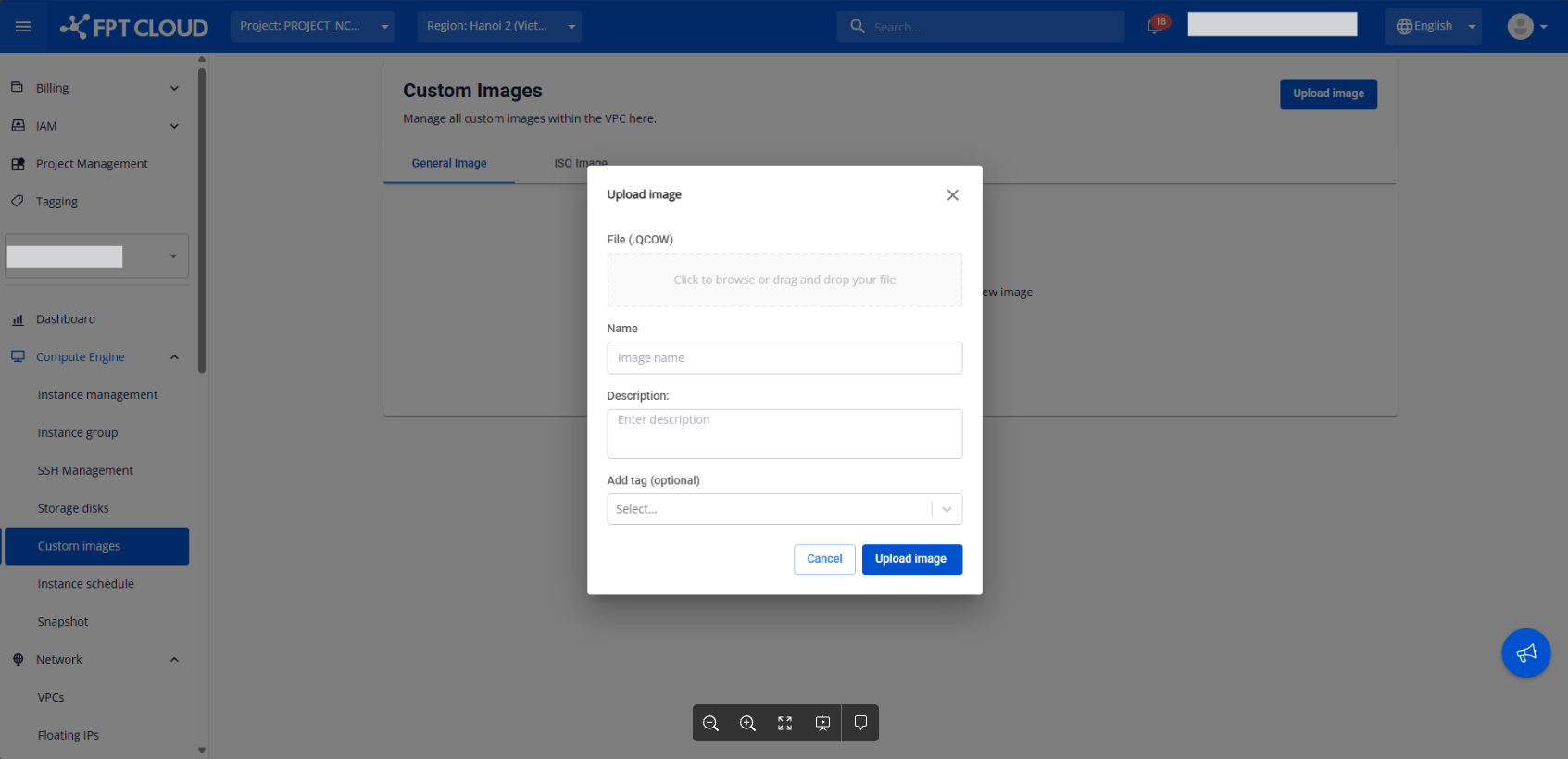
Only the **QCOW** file format is supported for uploading GPU VMs here. For other file formats, please contact us for further assistance.
{% stepper %}
{% step %}
From the menu, select **Compute Engine > Custom Image**. Then click **Upload Image**.
{% endstep %}
{% step %}
Enter the required information and choose the file from your machine. Click **Upload** to begin the upload process.
{% endstep %}
{% endstepper %}
### Delete a Custom Image
If you no longer need a Custom Image, you can delete it by following these steps:
{% stepper %}
{% step %}
From the menu, select **Custom Image**, then under the **Actions** menu for the image you wish to delete, click **Delete**.
{% endstep %}
{% step %}
A confirmation pop-up will appear. To proceed with the deletion, click **Delete Custom Image**.
{% endstep %}
{% endstepper %}
---
# Agent Instructions
This documentation is published with GitBook. GitBook is the documentation platform designed so that both humans and AI agents can read, navigate, and reason over technical content effectively. Learn more at gitbook.com.
## Querying This Documentation
If you need additional information that is not directly available in this page, you can query the documentation dynamically by asking a question.
Perform an HTTP GET request on the current page URL with the `ask` query parameter, and the optional `goal` query parameter:
```
GET https://ai-docs.fptcloud.com/fpt-gpu-cloud/gpu-virtual-machine/on-fpt-cloud-console/tutorials/os-images.md?ask=&goal=
```
`ask` is the immediate question: it should be specific, self-contained, and written in natural language.
`goal` is optional and describes the broader end goal you are ultimately trying to accomplish on behalf of the user. GitBook uses it to tailor the answer towards what is most useful for that goal.
The response will contain a direct answer to the question and relevant excerpts and sources from the documentation.
Use this mechanism when the answer is not explicitly present in the current page, you need clarification or additional context, or you want to retrieve related documentation sections.